Variables
There are several levels of variables in Walrus:
- Environment Variables: Applied to a specific environment.
- Project Variables: Applied to a specific project.
- Global Variables: Can be applied to all projects.
When variables with the same name exist at different levels, the value of the variable is used according to the following priority: Environment > Project > Global.
View Variable List
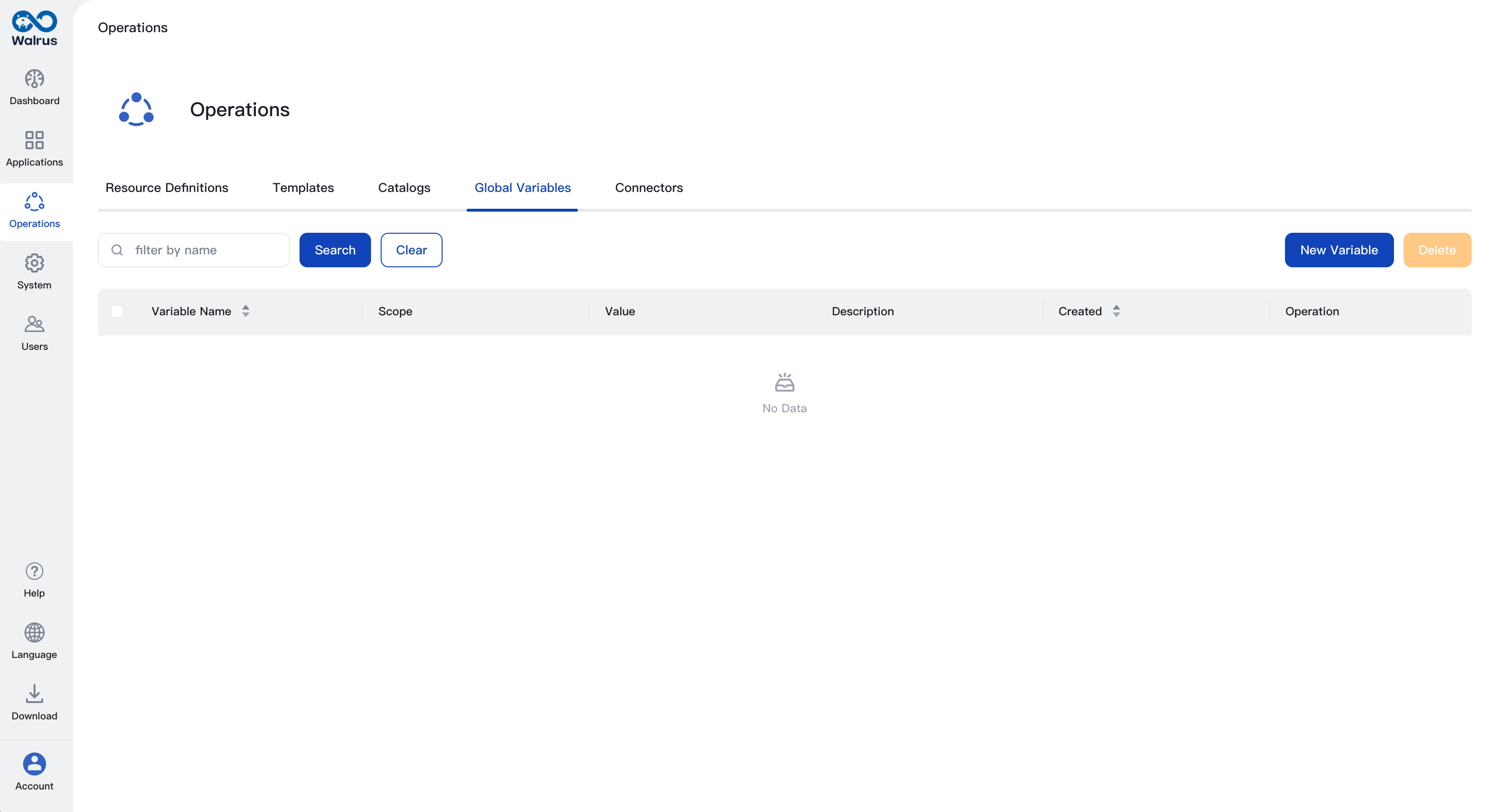
Global Variables
- Click on the
Operationsmenu in the left navigation bar. - Click on the
Global Variablestab to manage global variables.
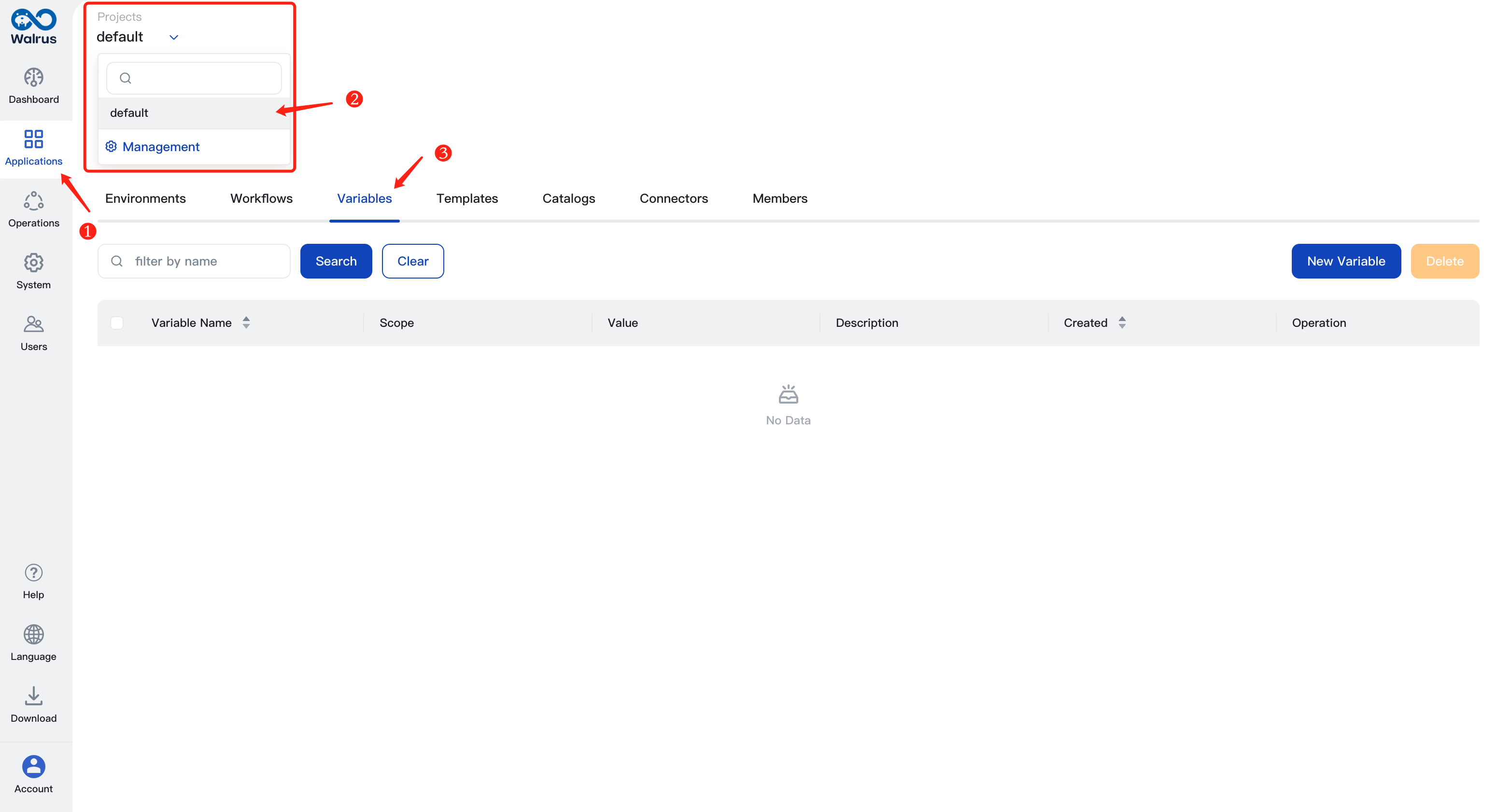
Project Variables
- Click on
Applicationsin the left navigation bar. - Select the project using the project dropdown button at the top breadcrumb.
- Click on the
Variablestab to manage the variables under this project.
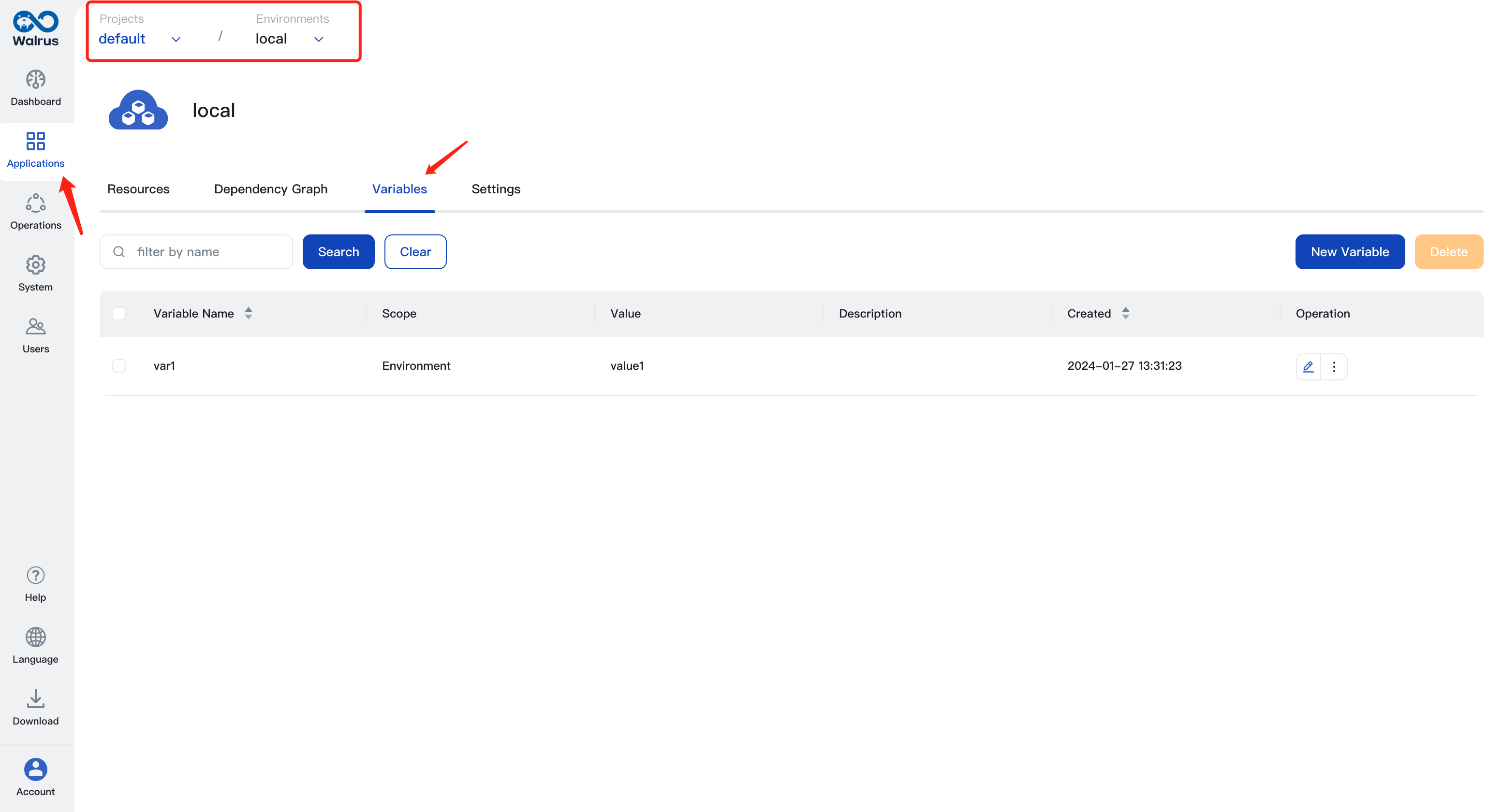
Environment Variables
- Click on
Applicationsin the left navigation bar. - Select the project using the project dropdown button at the top breadcrumb.
- Under the
Environmentstab, click on the name of an environment to enter the environment view. - Click on the
Variablestab to manage the variables under this environment.
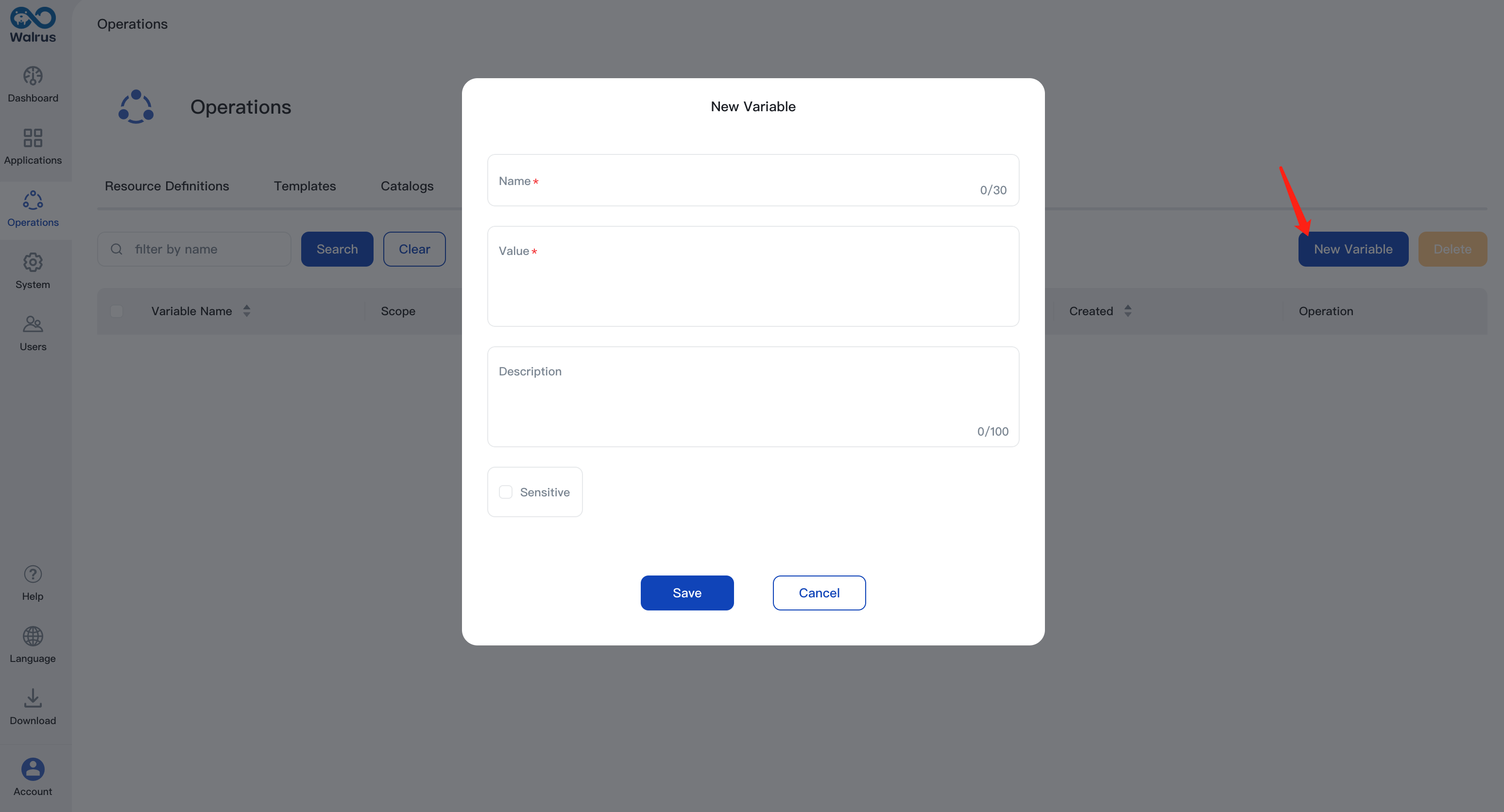
Create, Update Variables
- Enter the variable list page.
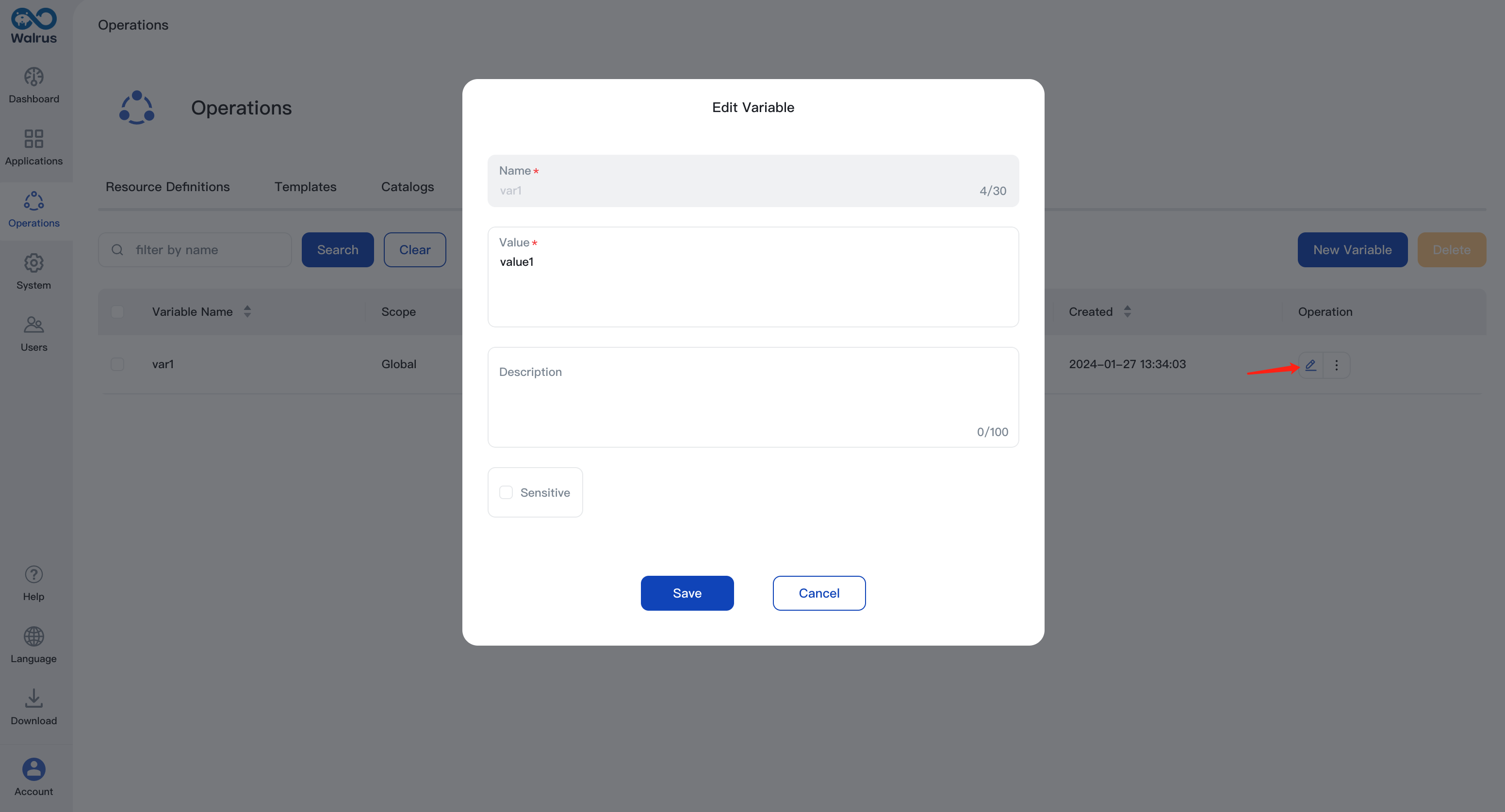
- Click on the 【New Variable】button to create a variable.
- Select
Sensitive. If this option is enabled, the value of the variable cannot be seen after it is saved.
- Click on the
Editoperation button in the variable list to update the variable.
Use Variables
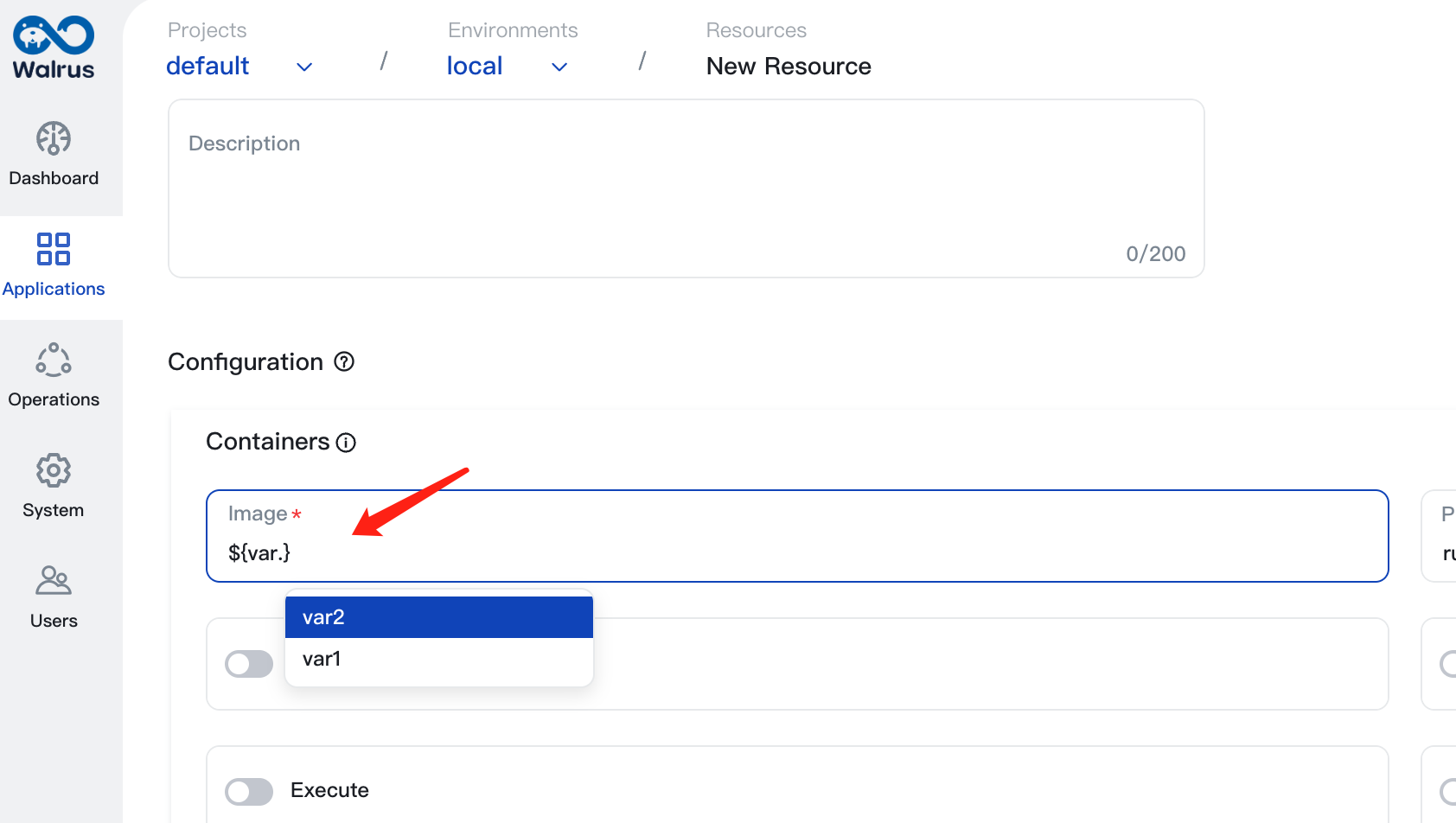
When creating or editing a resource, input ${var.variable_name} in the input box in the template configuration to use the corresponding variable.
Delete Variables
- Enter the variable list page.
- Select the variable to be deleted and click on the
Deletebutton. Confirm to delete.